

GEOMAGIC FOR SOLIDWORKS ONLINE
Description
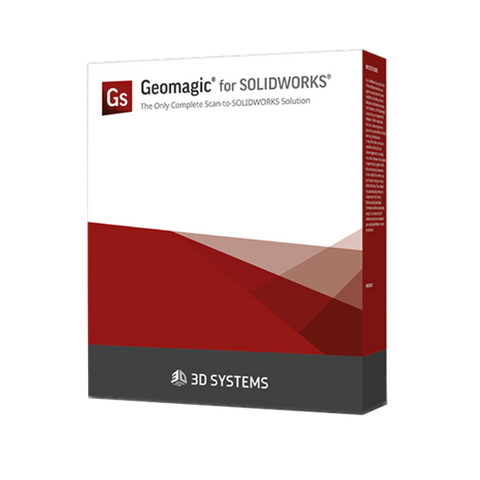
Geomagic for SOLIDWORKS is a reverse engineering software add-in that converts 3D scan data into editable CAD models directly within SOLIDWORKS. It helps engineers recreate existing parts, recover missing design data and develop new components around physical objects.
Import point clouds and mesh files, or capture data using supported 3D scanners. Integrated processing tools and feature extraction wizards help you create CAD sketches, surfaces and feature-based solid models within your existing design workflow.
Key Features
- Integrated SOLIDWORKS workflow: Process scan data and build CAD models directly within SOLIDWORKS.
- Scan data import: Work with point clouds and polygon meshes, including supported colour and texture data.
- Direct scanning: Capture scan or probe data within SOLIDWORKS using supported hardware.
- Mesh processing: Align scan datasets, reduce noise, smooth surfaces and fill holes.
- Feature extraction: Create sketches, surfaces and editable solid features from scan data using automatic and guided tools.
- Surface reconstruction: Convert organic and geometric shapes into CAD surfaces and solids.
- Deviation analysis: Compare CAD geometry against scan data to check accuracy during modelling.
Applications
Ideal for reverse engineering parts without original drawings, rebuilding legacy components, recreating worn or damaged tooling, and designing components to fit existing parts.
Software Requirement: Runs as an add-in within SOLIDWORKS and requires a compatible SOLIDWORKS installation.
Downloads
| The Geomagic for SOLIDWORKS is a comprehensive reverse engineering plug-in that is directly integrated into SOLIDWORKS. Extract sketches and features from 3D scans and modify them into history-based models with the familiar tools. The scan-to-CAD process has never been easier. |
Why choose Geomagic for SOLIDWORKS?The Geomagic for SOLIDWORKS consists of a subset of the tools in the Geomagic Design X but accessible directly inside SOLIDWORKS. It is the most comprehensive reverse engineering plug-in for SOLIDWORKS you can imagine. The software will be great for those looking for:
|
WorkflowsThe complete 3D scan-to-CAD workflow in the Geomagic for SOLIDWORKS looks like this: Scan, Mesh, Sketch, and Model: |

| Import existing data or scan directly into SOLIDWORKS to easily extract cross-sections and reference geometry. Use the already known SOLIDWORKS tools to quickly sketch and model features. |
Key featuresThe Geomagic for SOLIDWORKS stands out against other reverse engineering plugins for the program due to the following functions:
|
ApplicationsThe Geomagic for SOLIDWORKS can be used to capture the complex geometry of physical objects accurately that would be difficult to measure in traditional ways. Import data or scan directly in SOLIDWORKS and extract CAD sketches, surfaces, and solids. Proceed with more projects in less time. The reverse engineering plug-in is perfect for:
|

CompatibilityThe Geomagic for SOLIDWORKS is a subset of the industry-leading Geomagic Design X toolsets for transforming scan data to CAD modeling inside SOLIDWORKS. You can scan directly into SOLIDWORKS using major industrial 3D scanners, including:
The software supports STL, PLY, OBJ, and G3D. ASC, SCN, PTX, and other file formats. |